Personal·2026·Web App · Local-first · Browser Extension
BookNest — A Personal Library with Book Knowledge Maps
A local-first library of books and magazine issues that keeps each book’s real table of contents, terms, diagrams and reading paths as validated JSON — no account or cloud
- Role
- Solo developer — data model, front end, the JSON contract and its validator, graphs, the Chrome extension and verification scripts
- Team
- Solo project
- Duration
- 17–30 Sep 2026
- Year
- 2026
Key figures
- 11
- data models (SQLite)
- 7
- diagram types
- 6
- relation types
- 6
- table-of-contents entry kinds
- 3
- verification scripts
- 1.3.0
- Chrome extension version
BookNest is a personal library for books and magazines that runs on your own machine, using SQLite and covers stored in a local folder — no account, cloud service or network connection needed. Besides reading status, priority, notes and tags, each book can have a “knowledge workspace”: a booknest-knowledge/v1 JSON document that an AI researches from the app’s prompt and you import to be validated. It holds the real table of contents (kept apart from the AI-synthesised content map), terms, relations, diagrams, reading paths and related books. Every statement is labelled verified or synthesised and cites its source, and chosen books can be published as a read-only page. A Chrome extension imports books from an Amazon Store.
The problem
- 01Many technical books go half-read or unopened; with only a title and a cover you can’t tell what a book is about, who it is for, or where to start.
- 02An AI can summarise a book but mixes fact with interpretation, and showing an AI-synthesised map as the real table of contents would mislead the reader.
- 03A library is personal data that shouldn’t have to live with an outside service, and it must be easy to back up and move.
- 04Typing book details one at a time is slow, and many online shops offer no way to export a list.
The approach
- 01A local-first library: Next.js + Prisma + SQLite (11 models), covers on local disk, no account or cloud. A first run creates the database from the committed migration, and Settings can build a ZIP backup of the database and covers.
- 02Books and magazines in one place: several authors, ISBN-10/13 with check-digit validation, edition, year, publisher, tags, status (Want to read, Reading, Finished, On hold, Archived), priority and favourites, duplicate detection before saving, import from a book-page link (with Cheerio) or pasting a cover with Ctrl/⌘+V. Magazine issues track individual articles and whether you read them.
- 03The booknest-knowledge/v1 contract is validated in layers with Zod: sources, overview, technical profile, table of contents (6 entry kinds), content map, terms, relations (6 types), diagrams (7 types), reading paths and errata. The key rules: a real contents entry needs a source, a statement labelled “verified” needs a citation, and the JSON must match the identity of the book being edited (title, authors, edition, year, ISBN).
- 04The loop with an AI: a button copies a prompt pre-filled with that book’s title, authors, edition, year and ISBN, with a JSON template showing every collection. You import what the AI returns, the editor validates it immediately and points at the offending location, and a revision number stops a save overwriting an edit made in another tab.
- 05A tabbed reader for the knowledge (overview, real contents, content map, terms, relations, diagrams, reading paths, sources), whole-book search with ⌘K, and related books found through shared topics.
- 06The relations graph and diagrams use React Flow, with the layout computed by ELK in a Web Worker so the page doesn’t freeze. It handles cycles, duplicate edges and self-loops, exports SVG or PNG, and opens full screen.
- 07Publish only what you choose: enable “publish this book’s data” for a read-only /share/books/[id] page, run npm run publish to export standalone HTML for the published books (without personal notes, reading status, priority, favourites or edit controls), and npm run make for an offline book list with a Load more button.
- 08A Chrome extension, “Amazon Store Importer” (Manifest V3): it reads the product cards rendered in the open tab, clicks Load more for you, verifies each item against Amazon’s metadata, then sends only the Store URL, ASIN, title, author, publication year and cover to the local BookNest. /books/store-import marks books already owned. The extension doesn’t read passwords, payment details or browsing history.
The result
- 01A library where opening a book tells you what it covers, who it suits, what to know first and which chapters to read first — with what the book says clearly separated from what an AI synthesised.
- 02All the data stays on the machine: one SQLite file plus a covers folder, easy to back up and move as a ZIP.
- 03Three verification scripts: verify:knowledge (the JSON validator, books with and without Parts, revisions, persistence, deletion and public export against a temporary database), verify:graphs (diagram layout) and verify:graphs:browser (diagrams checked in a real browser with Playwright).
Deliverables
- A Next.js 15 + Prisma + SQLite web app (11 models) with migrations, ZIP backup and a Settings page
- A book and magazine library with filtering, search, duplicate detection, link import, and author, publisher and tag management
- The booknest-knowledge/v1 validator, the AI prompt, a JSON template, and the knowledge editor and reader
- Relations graph and diagrams with React Flow + ELK (Web Worker) and SVG/PNG export
- A read-only share page, standalone HTML export (npm run publish) and an offline book list (npm run make)
- The Chrome extension Amazon Store Importer (Manifest V3, version 1.3.0)
- The verify:knowledge, verify:graphs and verify:graphs:browser scripts
Gallery
Books and magazines (demo data)
16:9 / LG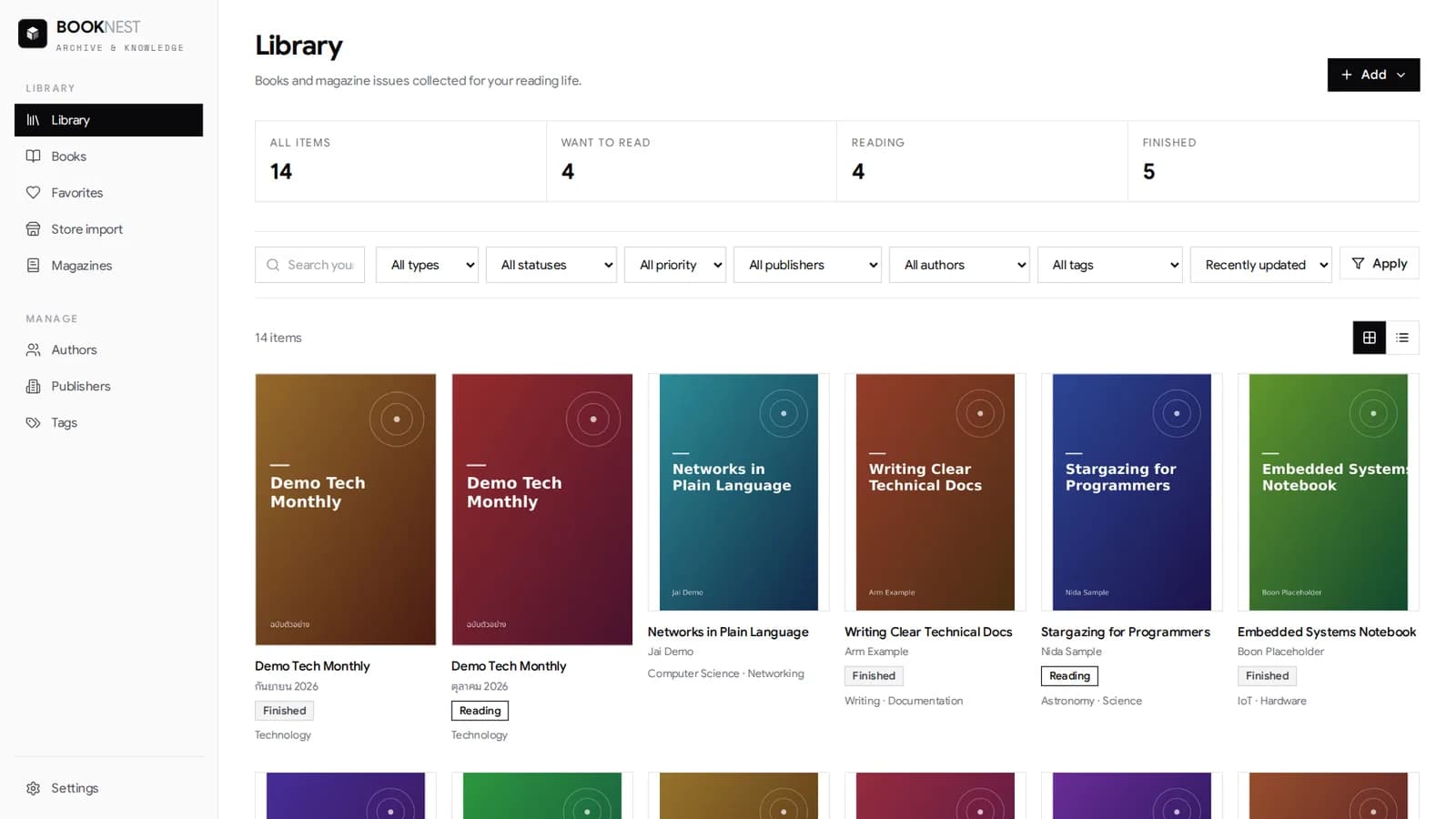
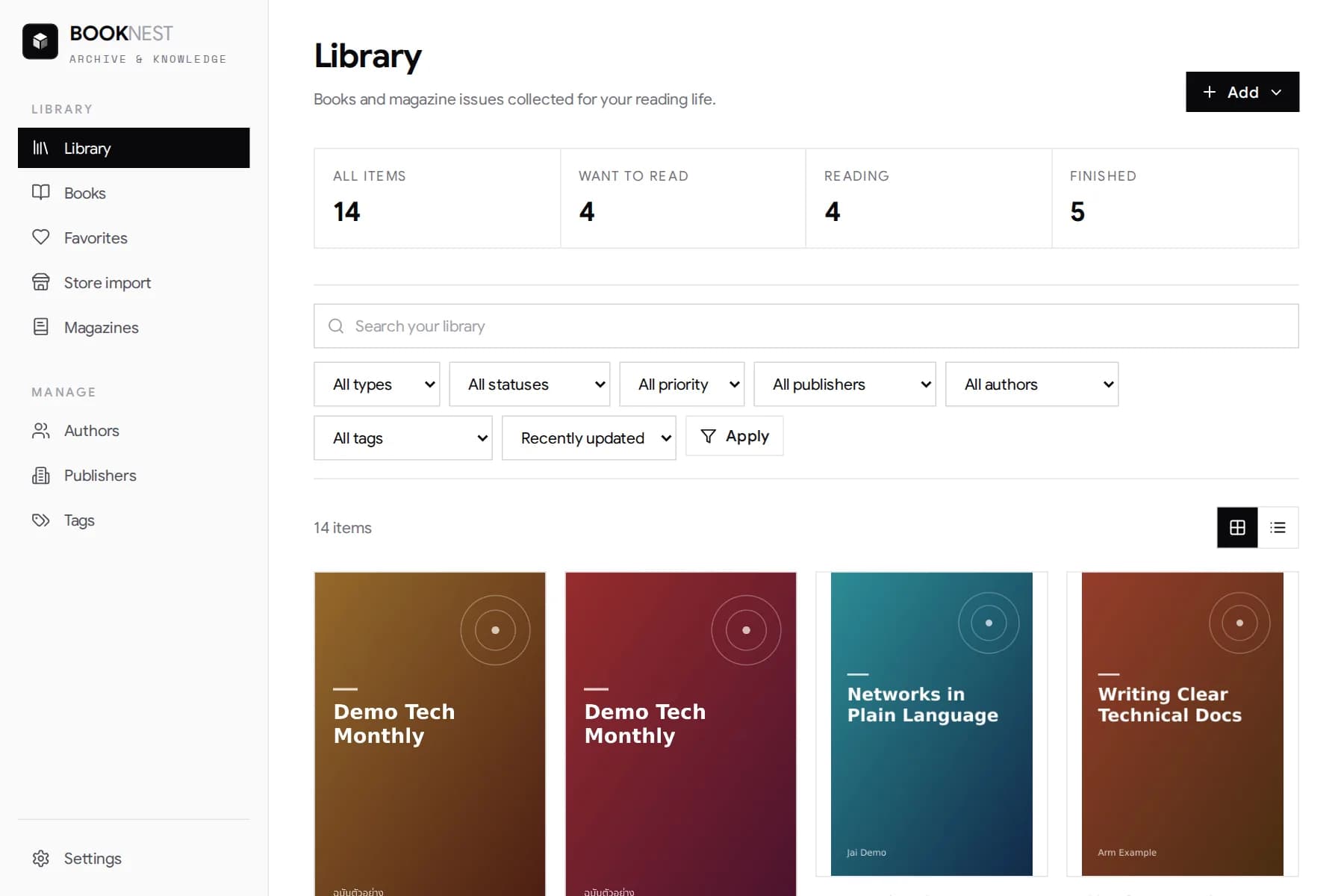
The library (demo data): books and magazines in one place, counted by Want to read, Reading and Finished, filterable by type, status, priority, publisher, author and tag
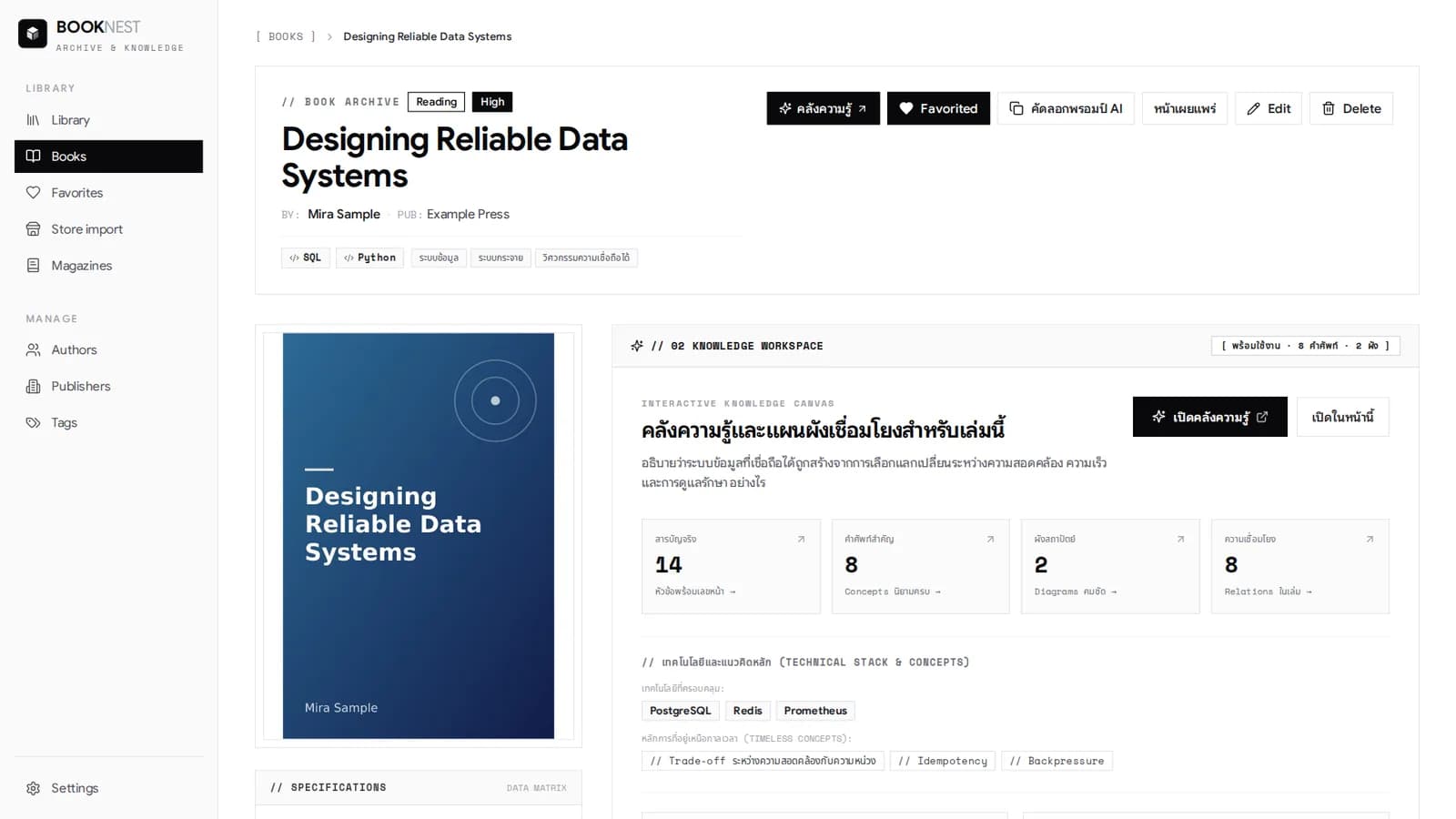
A book page: its details and tags, buttons for the knowledge workspace, copying the AI prompt and the share page, and counts of contents, terms, diagrams and relations
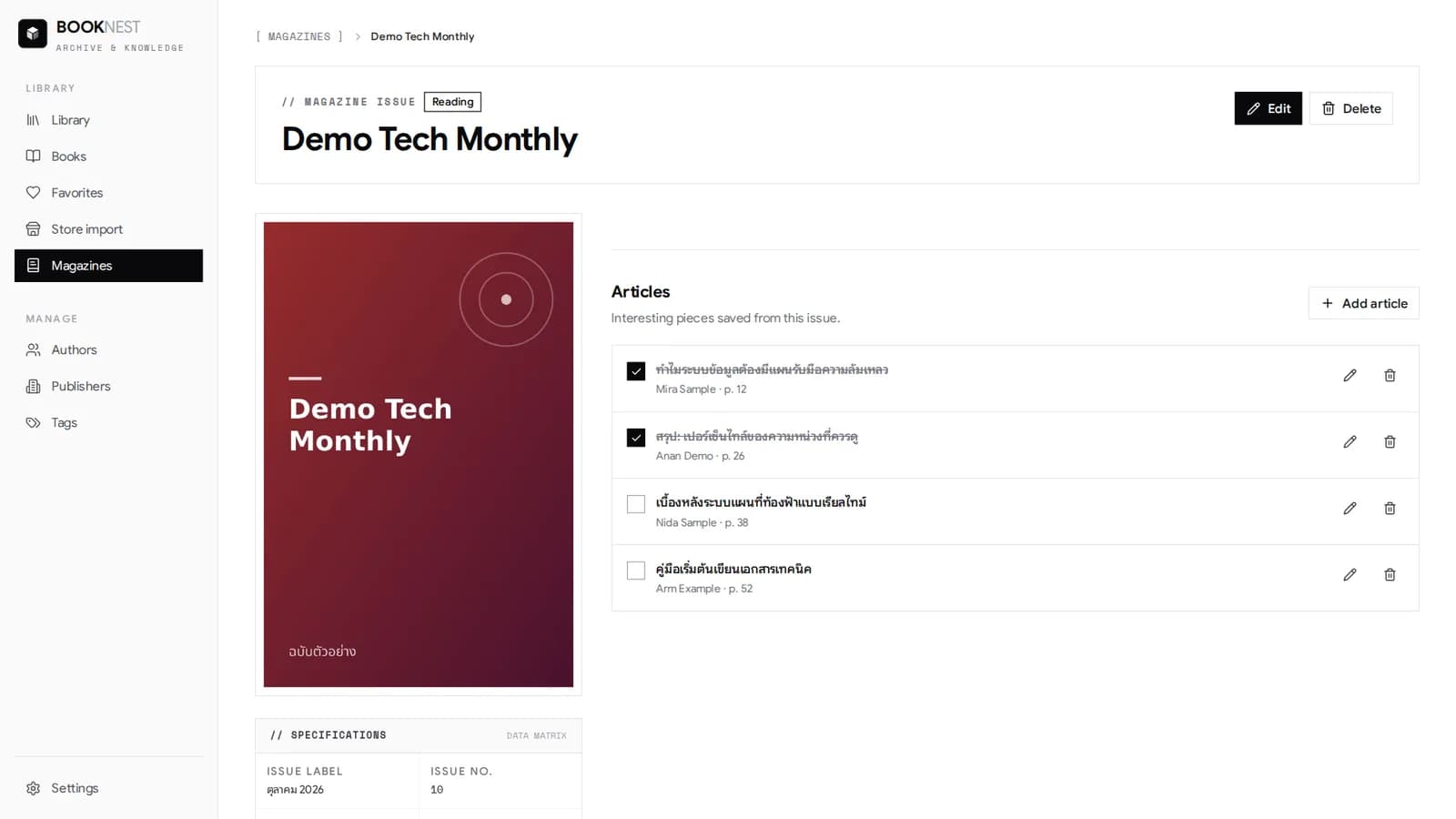
A magazine issue: individual articles with page, author and a read state
Retrospective
Challenges
- Keeping “the real table of contents” apart from “the AI-synthesised content map” visible in the data model, the validator and the screens — otherwise readers would trust what an AI guessed.
- AI-produced diagrams can contain cycles, duplicate edges, very long labels or isolated nodes, so layout fixtures and in-browser checks were needed, and ELK was moved into a Web Worker.
- Designing a JSON schema that works for books with Part/Division sections and for books whose chapters sit at the root, while allowing revisions without breaking existing references.
- Moving from the old Markdown table of contents (deleted and recreated on every save, so IDs weren’t stable) to a versioned JSON document, with a migration that drops the old table without harming books.
Learnings
- A validated data contract (Zod plus cross-field rules) lets an AI act as a research assistant while quality stays controlled, because data that doesn’t pass is never saved.
- Labelling statements as verified, synthesised or unknown keeps uncertain information useful without making it look like fact.
- Having a browser extension send only the fields that are needed to a local app reduces the permissions it needs and the privacy risk.
Interested in work like this?
Tell me about your brief — I reply within 24 hours.